


Advanced Optimization Report Samples
- The example on the main page shows all 43 optimization criteria available in the .opt file.
Open - It's the same report, but only a few optimization criteria are selected in advance. They are selected using checkboxes when saving the report, and you can choose the ones that you like.

Open - The same report with an additional code that adds mini-charts for balance and equity, as well as 38 additional optimization criteria (Sharpe ratios, Sortino ratios, mathematical expectations in pips, standard deviation, and more. You can add custom-programmed criteria).
Open - Optimization with a forward test and saving of charts for the Moving Average Expert Advisor from the instructions for adding functions to save charts and statistics to any Expert Advisor.
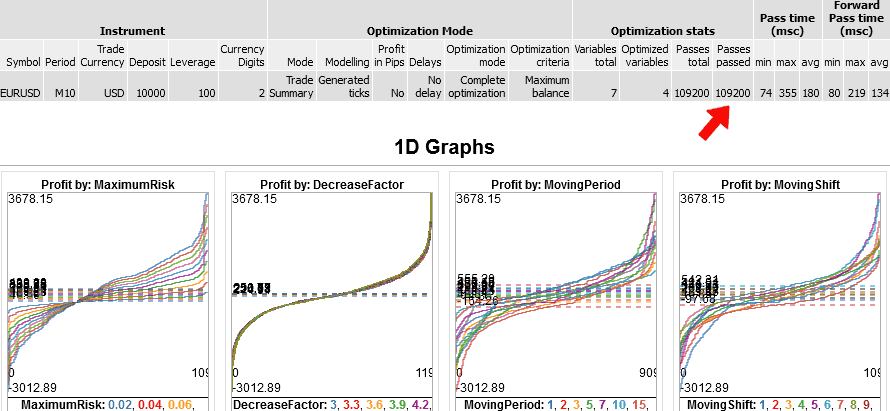
Open - The same Expert Advisor - full optimization with 109,200 passes. Plus a forward test, saving charts and additional criteria. The file size is 251 MB, so I can only show a screenshot. It took about 7 seconds to create such a large file, and it took about 1 minute to open it in the browser.
© 2025 - 2026